Building my own tools: a portfolio studio
Rebuilding my portfolio, CV and LinkedIn as one product, so anyone looking at my work can quickly find what's relevant to them, with a private review studio and a build pipeline I made with Claude Code.
At a glance
- Situation
- My portfolio, CV and LinkedIn had grown apart over the years. They described my roles in different words, and the site was organised by employer, so it was hard to see the thread through my work: building products, end to end.
- Task
- Make it easy for anyone looking at my work, whether a hiring manager, a recruiter or a future collaborator, to find the experience that's relevant to them, and keep my site, CV and LinkedIn consistent.
- Action
- Approached it like a product: a short brief about who'd be reading and what they'd need, then tooling I built with Claude Code. A private review studio, one content source for every format, tags for browsing by skill and industry, and a one-step release.
- Result
- From brief to live site in three days: more than 100 pages, every story summarised up front and linked to related work, and a CV and site that always agree.
Three versions of me
Over the years my site, CV and LinkedIn had each been updated on their own. They described the same roles in different words, and none of them made it easy to see the thread running through my work: building products, end to end.
The site was organised by employer, so someone interested in my healthcare work or my research practice had to dig for it. And people reviewing a lot of applications need the key facts quickly, in plain words, without clicking through galleries.
Treat it like a product
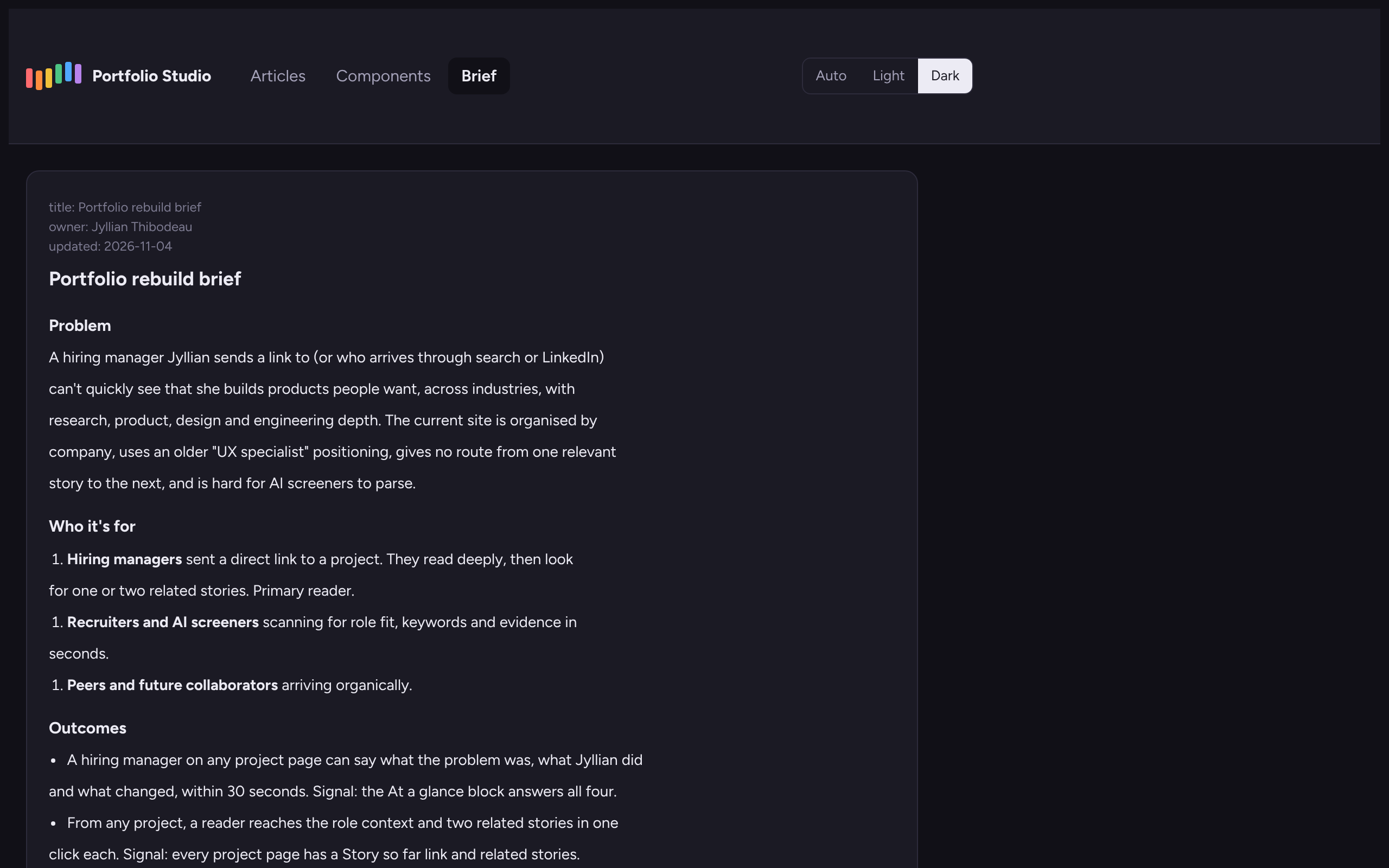
I started the way I'd start any product: who's it for, and what does success look like?
- Hiring managers often arrive at a single project from a link. So every project opens with a short summary of the problem, what I did and what changed, then links to the role behind it and to related work.
- Recruiters need to match experience to a role quickly. So titles, skills and outcomes are written in plain text near the top of every page, and the CV says the same thing as the site.
- Peers and collaborators may be curious about a particular skill or industry. So every story is tagged, and each tag has its own page.
That gave every page the same shape: an At a glance summary up front, the full story in order, and links onward.
What I built
A review studio, no terminal required
I wanted to review the work the way a product team reviews a build, without opening a command line. So the studio became one private page holding the whole project: every page, the component library and the brief.
- Preview any page at phone, tablet and desktop widths, in light and dark.
- Answer open questions in place. Each “to confirm” box takes my answer, and Claude folds it into the page and removes the box.
- Edit copy directly on the page, then send the edits to Claude to copy into the source.
- A page only counts as ready to ship when it has no open questions left. The studio enforces that.
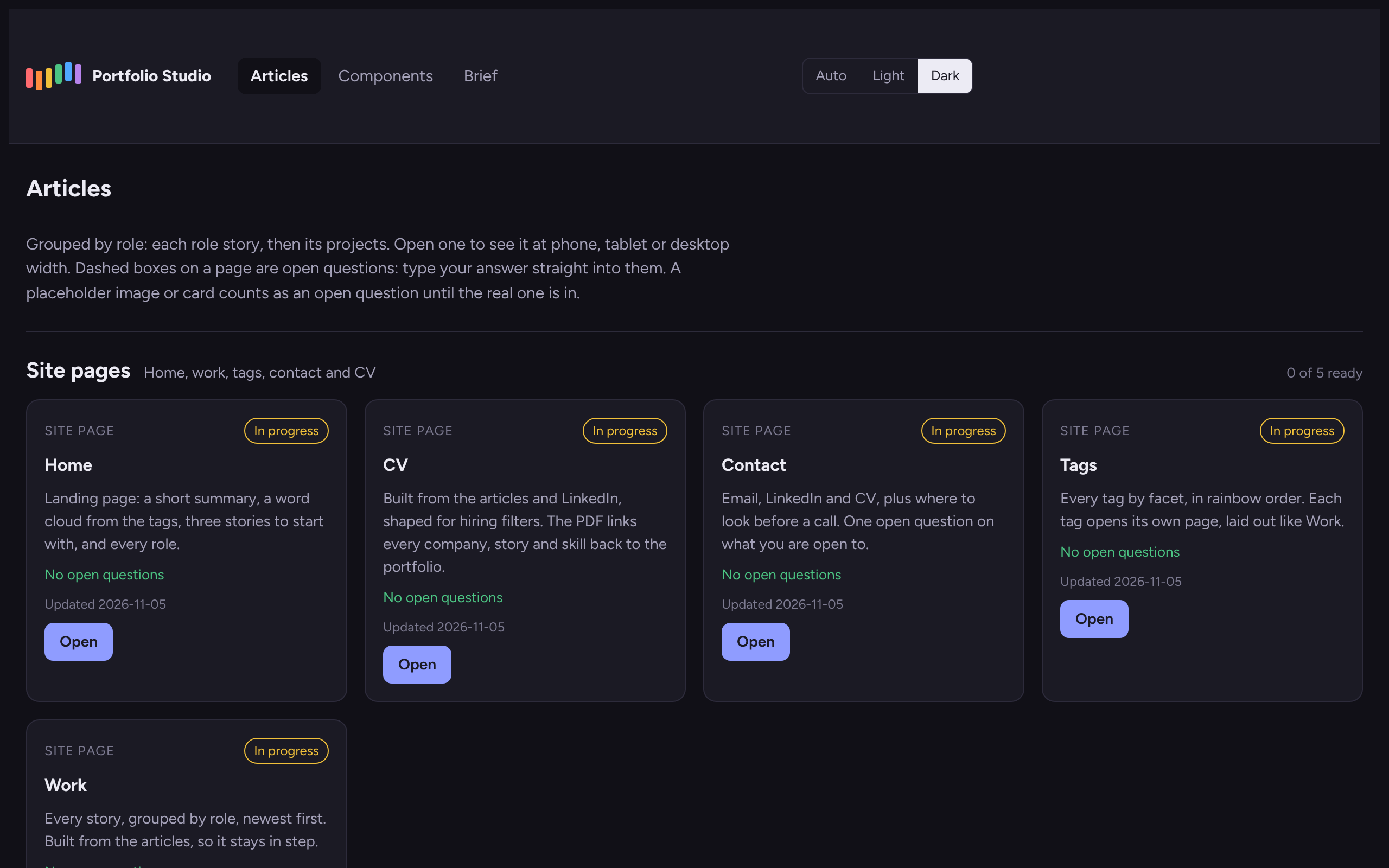
Every change to the studio came from using it, logged with the reason, the same way I'd run a product backlog.
One source, every format
Each story is written once. A build step turns that source into the site, the tag pages, the CV (on the web and as a PDF whose headings link back to the portfolio), the cover letter and the LinkedIn copy. Change a line, run the build, and every format agrees.
Tags as a product system
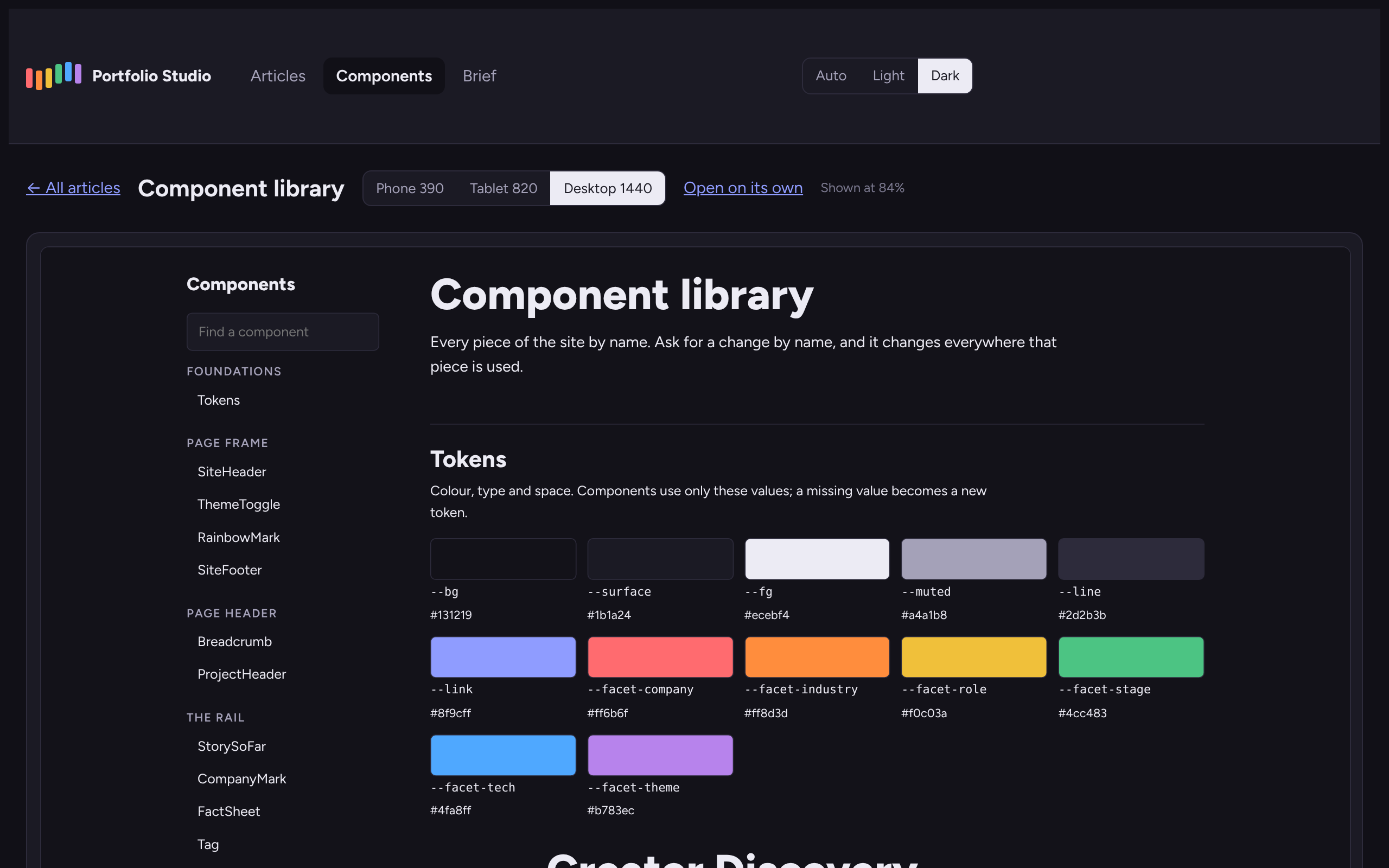
Tags let readers browse my work the way they think about it: by industry, skill or kind of role. There are six facets (company, industry, role, stage, tech and theme), each with its own colour from the rainbow, so colour always means something. A few simple rules keep them consistent: every project has exactly one contribution tag, and a role carries the tags of its projects. An automated audit flags near-duplicates and one-offs, and each tag has its own page with filters.
Shipping
A release step builds the hosted site: clean addresses, redirects from the old site's pages, a sitemap, link previews and a 404 page. It all goes up as a single zip through my host's file manager. Version stamps make sure every visitor gets the latest styles.
How we worked: humans decide, Claude drafts
Claude Code did the heavy lifting: drafting, building, checking links and publishing. Every decision stayed mine. Nothing went live without my say, wording about shared work was checked against the record, and no real personal data went into a screenshot.
The loop was tight: review in the studio, comment or edit in place, send to Claude, review again. Over three days that loop ran more than 140 times.
A site, CV and profile that tell one story
- 3 daysFrom brief to live site.
- 100+ pagesEvery story summarised up front and linked to related work.
- 1 sourceFor the site, CV, cover letter and LinkedIn copy.
- 140+ changesReviewed in the studio and sent to Claude.